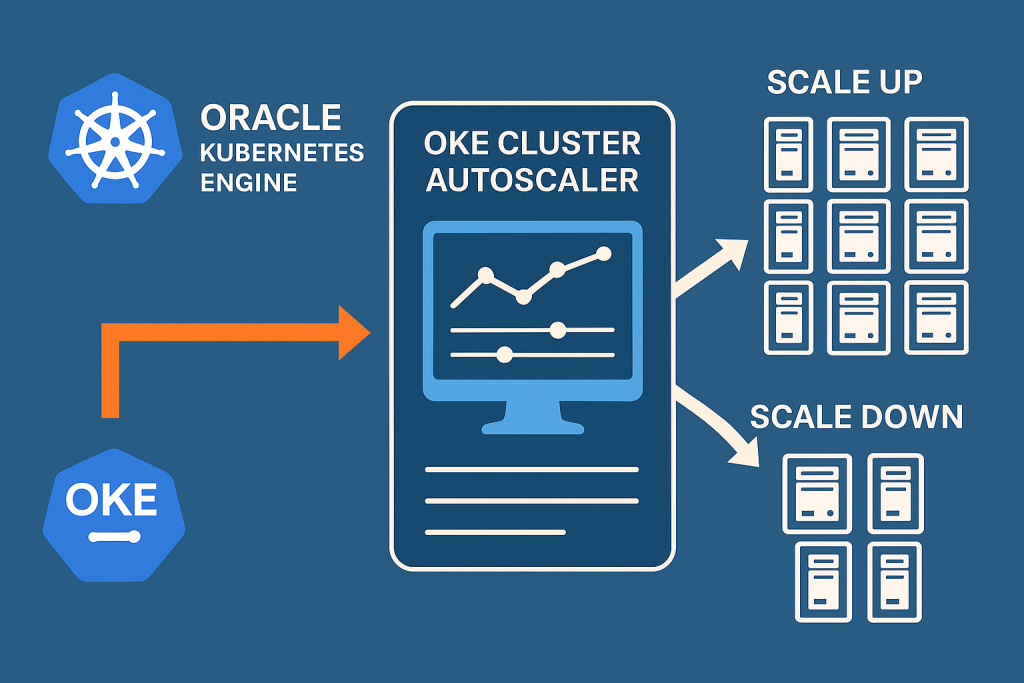

OKE Cluster Autoscaler is a Kubernetes component that automatically adjusts the number of nodes in your Oracle Kubernetes Engine (OKE) node pools based on pod demand.
The OKE Cluster Autoscaler supports two authentication methods: Instance Principals and Workload Identity Principals. Instance Principal means the autoscaler uses the identity of the OCI compute instance it runs on, requiring no secrets and offering the simplest, most secure setup.
Workload Identity Principal uses the identity of a Kubernetes workload, allowing more granular access but requiring additional configuration.
In this article, we configured and tested the autoscaler using Instance Principals.
With this setup, your OKE cluster can automatically scale up and down based on workload demand, improving efficiency while reducing operational overhead.
Scales Up (adds nodes) when:
- There are pending pods that cannot be scheduled
(e.g., not enough CPU/memory on existing nodes). - Autoscaler requests OCI to create new worker nodes in the node pool.h
Scales Down (removes nodes) when:
- Nodes are under-utilized for a long time
(default = 10 minutes unless changed). - No critical pods are running on that node.
- Autoscaler safely drains the node and deletes it from OCI.
STEP 1 — Create Dynamic Group for OKE Nodes
Go to: IAM → Dynamic Groups → Create Dynamic Group
Example: oke-nodepool-dg
Rule (recommended):
Any {instance.compartment.id = '<COMPARTMENT_OCID>'}
STEP 2 — Create IAM Policies
Go to: IAM → Policies → Create Policy
Choose the compartment where your OKE node pool exists.
Paste the required policy:
Allow dynamic-group <dynamic-group-name> to manage cluster-node-pools in compartment <compartment-name>
Allow dynamic-group <dynamic-group-name> to manage instance-family in compartment <compartment-name>
Allow dynamic-group <dynamic-group-name> to use subnets in compartment <compartment-name>
Allow dynamic-group <dynamic-group-name> to read virtual-network-family in compartment <compartment-name>
Allow dynamic-group <dynamic-group-name> to use vnics in compartment <compartment-name>
Allow dynamic-group <dynamic-group-name> to inspect compartments in compartment <compartment-name>
This allows nodes to scale their own node pool.
STEP 3 — Deploy OKE Cluster Autoscaler using Add-On
- Go to OKE → Cluster → Add-Ons
- Select Cluster Autoscaler → Enable
- Set Replicas = 3
- Add node pool scaling config:
<min>:<max>:<NODEPOOL_OCID>Example:
3:5:ocid1.nodepool.oc1... - Save the Add-On
- Verify pods:
[root@jump-host ~]# kubectl -n kube-system get pods | grep autoscaler
cluster-autoscaler-64bf849b78-hxqm7   1/1     Running   0          11d
cluster-autoscaler-64bf849b78-jd8vs   1/1     Running   0          11d
cluster-autoscaler-64bf849b78-t4fzh   1/1     Running   0          11d
Deploy OKE Cluster Autoscaler (Manual YAML Method)
- In a text editor, create a file called
cluster-autoscaler.yamlwith the following content:
  ---
  apiVersion: v1
  kind: ServiceAccount
  metadata:
    labels:
      k8s-addon: cluster-autoscaler.addons.k8s.io
      k8s-app: cluster-autoscaler
    name: cluster-autoscaler
    namespace: kube-system
  ---
  apiVersion: rbac.authorization.k8s.io/v1
  kind: ClusterRole
  metadata:
    name: cluster-autoscaler
    labels:
      k8s-addon: cluster-autoscaler.addons.k8s.io
      k8s-app: cluster-autoscaler
  rules:
    - apiGroups: [""]
      resources: ["events", "endpoints"]
      verbs: ["create", "patch"]
    - apiGroups: [""]
      resources: ["pods/eviction"]
      verbs: ["create"]
    - apiGroups: [""]
      resources: ["pods/status"]
      verbs: ["update"]
    - apiGroups: [""]
      resources: ["endpoints"]
      resourceNames: ["cluster-autoscaler"]
      verbs: ["get", "update"]
    - apiGroups: [""]
      resources: ["nodes"]
      verbs: ["watch", "list", "get", "patch", "update"]
    - apiGroups: [""]
      resources:
        - "pods"
        - "services"
        - "replicationcontrollers"
        - "persistentvolumeclaims"
        - "persistentvolumes"
      verbs: ["watch", "list", "get"]
    - apiGroups: ["extensions"]
      resources: ["replicasets", "daemonsets"]
      verbs: ["watch", "list", "get"]
    - apiGroups: ["policy"]
      resources: ["poddisruptionbudgets"]
      verbs: ["watch", "list"]
    - apiGroups: ["apps"]
      resources: ["statefulsets", "replicasets", "daemonsets"]
      verbs: ["watch", "list", "get"]
    - apiGroups: ["storage.k8s.io"]
      resources: ["storageclasses", "csinodes", "volumeattachments"]
      verbs: ["watch", "list", "get"]
    - apiGroups: ["batch", "extensions"]
      resources: ["jobs"]
      verbs: ["get", "list", "watch", "patch"]
    - apiGroups: ["coordination.k8s.io"]
      resources: ["leases"]
      verbs: ["create"]
    - apiGroups: ["coordination.k8s.io"]
      resourceNames: ["cluster-autoscaler"]
      resources: ["leases"]
      verbs: ["get", "update"]
    - apiGroups: [""]
      resources: ["namespaces"]
      verbs: ["watch", "list"]
    - apiGroups: ["storage.k8s.io"]
      resources: ["csidrivers", "csistoragecapacities"]
      verbs: ["watch", "list"]
  ---
  apiVersion: rbac.authorization.k8s.io/v1
  kind: Role
  metadata:
    name: cluster-autoscaler
    namespace: kube-system
    labels:
      k8s-addon: cluster-autoscaler.addons.k8s.io
      k8s-app: cluster-autoscaler
  rules:
    - apiGroups: [""]
      resources: ["configmaps"]
      verbs: ["create","list","watch"]
    - apiGroups: [""]
      resources: ["configmaps"]
      resourceNames: ["cluster-autoscaler-status", "cluster-autoscaler-priority-expander"]
      verbs: ["delete", "get", "update", "watch"]

  ---
  apiVersion: rbac.authorization.k8s.io/v1
  kind: ClusterRoleBinding
  metadata:
    name: cluster-autoscaler
    labels:
      k8s-addon: cluster-autoscaler.addons.k8s.io
      k8s-app: cluster-autoscaler
  roleRef:
    apiGroup: rbac.authorization.k8s.io
    kind: ClusterRole
    name: cluster-autoscaler
  subjects:
    - kind: ServiceAccount
      name: cluster-autoscaler
      namespace: kube-system

  ---
  apiVersion: rbac.authorization.k8s.io/v1
  kind: RoleBinding
  metadata:
    name: cluster-autoscaler
    namespace: kube-system
    labels:
      k8s-addon: cluster-autoscaler.addons.k8s.io
      k8s-app: cluster-autoscaler
  roleRef:
    apiGroup: rbac.authorization.k8s.io
    kind: Role
    name: cluster-autoscaler
  subjects:
    - kind: ServiceAccount
      name: cluster-autoscaler
      namespace: kube-system

  ---
  apiVersion: apps/v1
  kind: Deployment
  metadata:
    name: cluster-autoscaler
    namespace: kube-system
    labels:
      app: cluster-autoscaler
  spec:
    replicas: 3
    selector:
      matchLabels:
        app: cluster-autoscaler
    template:
      metadata:
        labels:
          app: cluster-autoscaler
        annotations:
          prometheus.io/scrape: 'true'
          prometheus.io/port: '8085'
      spec:
        serviceAccountName: cluster-autoscaler
        containers:
          - image: iad.ocir.io/oracle/oci-cluster-autoscaler:{{ image tag }}
            name: cluster-autoscaler
            resources:
              limits:
                cpu: 100m
                memory: 300Mi
              requests:
                cpu: 100m
                memory: 300Mi
            command:
              - ./cluster-autoscaler
              - --v=0
              - --stderrthreshold=info
              - --cloud-provider=oci
              - --scale-down-enabled=true
              - --scale-down-delay-after-add=10m
              - --scale-down-delay-after-delete=10s
              - --scale-down-delay-after-failure=3m
              - --scale-down-unneeded-time=10m
              - --scale-down-unready-time=20m
              - --scale-down-utilization-threshold=0.5
              - --scale-down-non-empty-candidates-count=30
              - --scale-down-candidates-pool-ratio=0.1
              - --scale-down-candidates-pool-min-count=50
              - --scan-interval=10s
              - --max-nodes-total=0
              - --cores-total=0:320000
              - --memory-total=0:6400000
              - --max-graceful-termination-sec=600
              - --max-total-unready-percentage=45
              - --ok-total-unready-count=3
              - --max-node-provision-time=15m
              - --nodes=3:5:{{ node pool ocid 1 }}
              - --emit-per-nodegroup-metrics=false
              - --estimator=binpacking
              - --expander=random
              - --ignore-daemonsets-utilization=false
              - --ignore-mirror-pods-utilization=false
              - --write-status-configmap=true
              - --status-config-map-name=cluster-autoscaler-status
              - --max-inactivity=10m
              - --max-failing-time=15m
              - --balance-similar-node-groups=false
              - --unremovable-node-recheck-timeout=5m
              - --expendable-pods-priority-cutoff=-10
              - --daemonset-eviction-for-empty-nodes=false
              - --daemonset-eviction-for-occupied-nodes=true
              - --cordon-node-before-terminating=false
              - --record-duplicated-events=false
              - --max-nodes-per-scaleup=1000
              - --new-pod-scale-up-delay=0s
              - --max-scale-down-parallelism=10
              - --max-bulk-soft-taint-count=10
              - --max-pod-eviction-time=2m0s
              - --debugging-snapshot-enabled=false
              - --enforce-node-group-min-size=false
              - --skip-nodes-with-system-pods=true
              - --skip-nodes-with-local-storage=true
              - --min-replica-count=0
              - --skip-nodes-with-custom-controller-pods=true
            imagePullPolicy: "Always"
Important Note
--scale-down-unneeded-time=10m--scan-interval=10s--scale-down-delay-after-add=10m
After a new node is added, the autoscaler waits 10 minutes before checking for scale-down.
Then the node must remain unused for another 10 minutes before being removed.
- Worst-case scale-down time:
10m (delay-after-add) + 10m (unneeded-time) = 20 minutes.
STEP 4 — Deploy Test Workload & Trigger Autoscaler Scaling
1️⃣ Create the NGINX deployment
Apply the following manifest:
apiVersion: apps/v1
kind: Deployment
metadata:
  name: nginx-deployment
spec:
  selector:
    matchLabels:
      app: nginx
  replicas: 2
  template:
    metadata:
      labels:
        app: nginx
    spec:
      containers:
      - name: nginx
        image: syd.ocir.io/#######/ocir-repo:nginx-latest
        ports:
        - containerPort: 80
        resources:
          requests:
            memory: "500Mi"
        imagePullPolicy: Always
Apply it:
kubectl apply -f nginx.yaml
2️⃣ Scale the deployment to create load
Increase replicas to 50 to force scheduling pressure:
kubectl scale deploy nginx-deployment --replicas=50
This will create pending pods → autoscaler should scale UP your node pool.
3️⃣ Observe Autoscaler events (scale up / scale down)
Run this command to watch autoscaler decisions live:
for p in $(kubectl get pods -n kube-system -l app=cluster-autoscaler -o name); do
  echo "=== $p ==="
  kubectl logs -n kube-system $p --since=1h | grep -Ei 'scale[- ]?up|scale[- ]?down' || true
done
Observe Autoscaler events (scale up)

Observe Autoscaler events (scale Down)
Scale the deployment down to 3 replicas to intentionally create scheduling pressure.
kubectl scale deploy nginx-deployment --replicas=3

In this article, we configured the OKE Cluster Autoscaler, deployed test workloads, and validated scale-up/scale-down events. With this setup, your cluster will continuously maintain the right size while reducing manual operational tasks.